As a deep user of Sologo.AI (I've personally created dozens of brand kits for clients and my own projects), I can tell you it's one of the most intuitive, powerful AI branding platforms out there. Trusted by over 100,000 users worldwide, Sologo. AI combines an advanced AI logo generator with a dedicated Brand Kit Generator that turns a single logo into a full visual identity system—including color palettes, fonts, business cards, social media templates, mockups, and more—all editable online with commercial-use rights.
In this comprehensive guide, you'll get a step-by-step walkthrough of how to create a brand kit with AI using Sologo.AI. We'll cover everything from defining your brand vision to downloading ready-to-use assets, with pro tips I've picked up along the way. By the end, you'll have the confidence to build a consistent, professional brand that stands out—without needing design skills or a big budget.
What is a Brand Kit?
A Brand Kit is your brand’s all-in-one style guide — a handy collection of core visual elements that keeps everything consistent.
With a Brand Kit, anyone — whether it’s you, your team, designers, or freelancers — can instantly create content that looks unmistakably “you,” saving time and making your brand feel more professional and cohesive.
What’s Included In a Branding Kit?
It typically includes your logo (with all variations and clear usage rules), color palette (primary + secondary colors), approved fonts, icons, patterns, photo style guidelines, and often ready-to-use social media templates or graphics.
Why Create a Brand Kit with AI in 2026?
A brand kit (sometimes called a brand style guide or brand identity package) is your brand's visual playbook. It ensures everything—from your website header to Instagram posts, business cards to product packaging—looks cohesive and professional. Without it, your marketing feels scattered, and customers struggle to recognize or trust your brand.
Traditional brand kits require hiring designers, mood boards, multiple revisions, and hefty fees. AI flips the script: tools analyze your inputs (brand name, industry, style preferences) and generate tailored suggestions instantly. You get:
• Speed: Minutes instead of weeks.
• Affordability: Free tiers for basics; affordable subscriptions for advanced features.
• Consistency: AI applies your logo, colors, and fonts automatically across assets.
• Customization: Edit everything online—no software downloads needed.
• Scalability: Export in vector formats (SVG, PDF) for print, web, animation, and more.
Understanding Sologo.AI: Your All-in-One AI Branding Tool
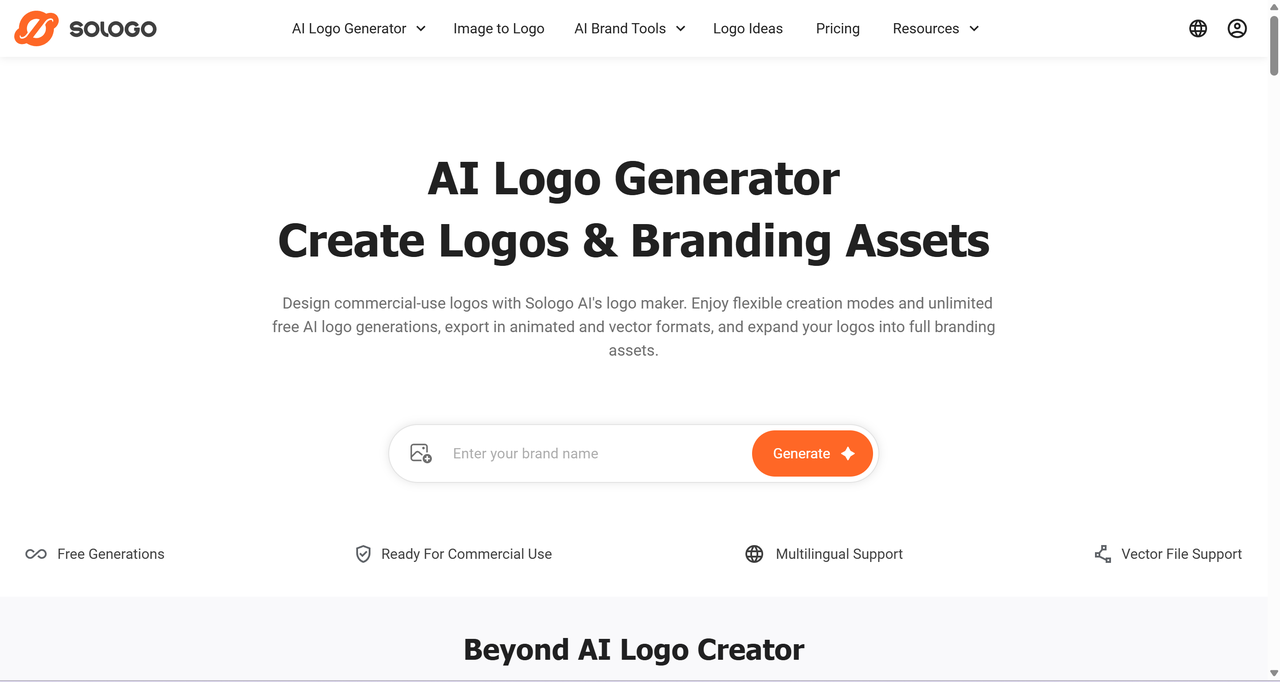
Before diving into the steps, let's get familiar with Sologo.AI
Key features that make it perfect for creating brand kits with AI:
• Brand Kit Generator: Takes your chosen logo and auto-generates a cohesive kit with palettes, fonts, and templates.
• Multiple Logo Generation Modes: Name-to-logo (enter brand name + description(industry)), Image-to-Logo (upload photos/sketches), Sketch-to-Logo (draw directly in-browser).
• Online Editor: AI-powered editor to tweak colors, typography, layouts, and apply your brand to mockups.
• File Formats: High-res PNG, JPG, PDF, SVG (vector for scaling), plus animated options.
• Commercial Rights: Full commercial use with subscription; permanent licenses, verified fonts/graphics, no regional restrictions.
• Pricing: The free tier includes 10 credits for generating brand kits and logos; Standard plans (around $19/month or $99/year) unlock 400 credits (up to 400 images) exclusive rights, advanced edits, higher-res exports, and full brand kit features.
• Multilingual Support: Supports 17 languages—including English, Spanish, Japanese, Korean, French, and many more—perfect for brands targeting international audiences.
The platform's strength is seamlessness: generate a logo → feed it directly into the Brand Kit Generator → customize → download everything in one flow.
Step 1: Define Your Brand Before You Start
You get the best results when you give the AI clear direction. Before opening Sologo.AI, spend 5–10 minutes answering these:
-
What's your brand name? (Keep it simple and memorable.)
-
Industry/niche? (Tech, food, fashion, consulting, pets, fitness?)
-
Target audience? (Age, vibe—professional, fun, luxurious, eco-friendly?)
-
Desired style? (Minimalist, bold, vintage, modern, illustrative?)
-
Key emotions/values? (Trustworthy, playful, innovative, elegant?)
-
Any inspiration? (Colors, existing brands, or upload reference images.)
Pro tip: Jot down 3–5 adjectives (e.g., "bold, modern, trustworthy") and note competitors you like (or avoid). This helps the AI align outputs with your vision.
Step 2: Sign Up and Generate Your Core Logo
If your brand doesn't have a logo yet, start by generating one for free with SologoAI! (You can skip this step if you already have one.)
Head to Sologo.AI official website and click "Generate" or go straight to the AI Logo Generator.
1.Choose your input method:
-
Name to Logo: Enter your brand name, optional slogan, industry, and style keywords (e.g., "minimalist tech startup").
-
Image to Logo: Upload a photo (product, pet, mood image) for AI to inspire the design.
-
Sketch to Logo: Draw a rough idea in the browser tool—AI refines it into vectors.
2.Hit "Generate." In seconds, you'll see dozens of unique variations tailored to your inputs.
3.Browse and select favorites. Sologo.AI provides variations across styles (abstract, wordmark, monogram, mascot, etc.) and industries (50+ templates).
4.Pick one to customize: Adjust colors, fonts, icons, layout via the editor.
5.Save to "My Designs." This logo becomes the foundation for your brand kit.
As a heavy user, I always generate 20–30 options first, then narrow to 3–5. The AI's understanding of industry-specific aesthetics (e.g., playful for food brands) is spot-on.
Step 3: Launch the AI Brand Kit Generator
-
Once your logo is ready, navigate to the Brand Kit Generator. Select your saved logo from the saved items.
-
Set your primary brand color model: The AI suggests palettes based on your logo—choose one or tweak hues for accessibility and mood.
-
Choose the brand types/styles: Select the one that matches your vision—this covers the key options and templates needed for a complete brand kit!
-
Let AI generate: In minutes, it creates a full kit with consistent application of your logo, colors, and fonts.
-
Core Elements: Logo variations (horizontal, stacked, icon-only), primary/secondary color palettes (with hex codes), recommended font pairings (headings, body text).
-
Marketing Templates: Business cards (front/back), social media covers (Instagram, Facebook, LinkedIn, Twitter/X), stories/posts, email signatures.
-
Print-Ready Assets: Letterheads, A4 documents, presentations, posters, invitations, ID badges.
-
Mockups & Visuals: Logo applied to products (T-shirts, mugs, packaging), branded imagery for ads/posters.
Be patient — keep trying different variations until you find a brand kit that feels more spot-on for your brand!
Step 4: Customize and Refine in the Online Editor
Don't settle for the first output—fine-tune for perfection.
In the online editor, you can:
-
Change colors across all assets simultaneously.
-
Swap fonts or adjust typography (size, spacing, weight).
-
Edit text placeholders (e.g., add your real contact info to business cards).
-
Rearrange layouts or add elements.
Use the preview mode to see consistency across mockups (e.g., how your brand looks on a website, product, or social feed).
Iterate freely—save versions in "My Designs" to compare.
Step 5: Download and Implement Your Brand Kit
If you want to download the brand kit, you'll need to subscribe to the Standard Plan
Once happy:
-
Review licensing: Free tier offers standard commercial use; upgrade for full/exclusive rights.
-
Download high-quality files: Choose formats (SVG for vector and scalability, PNG for web and transparency, PDF for print).
-
Organize: Most assets come zipped or in folders—rename for easy access (e.g., "Primary_Logo.svg", "Instagram_Cover.png").
-
Implement: Upload to Canva, Shopify, WordPress, social profiles, or send to printers.
Bonus: Export animated logos for intros/ads, or use mockup tools for product visuals.
Potential Challenges and Solutions
-
Learning Curve: Start simple—text-to-logo first.
-
Free vs Paid: Free plan might be limited for testing; upgrade for unlimited advanced features.
-
Uniqueness: AI draws from vast data—combine with personal tweaks for originality.
-
File Management: Download everything at once to stay organized.
Tips to Create an Effective Brand Kit
-
Keep your brand name short, simple, and easy to pronounce.
A concise name sticks in people’s minds faster and makes it easier to share verbally or search online. Aim for 2–4 syllables max—think of successful examples like Nike, Apple, or Spotify. Once chosen, test how it sounds in different accents and languages if you plan to expand globally.
-
Create a scalable, versatile logo that works everywhere.
Your logo must look crisp and recognizable at tiny sizes (like app icons or favicons) and bold on large formats (billboards, packaging). Ensure it remains legible in full color, black-and-white, monochrome, inverted, or on busy backgrounds. With Sologo.AI, experiment freely with styles such as minimalist, wordmark (text-based), mascot, 3D, emblem, or abstract icons. Use the built-in editor to refine details and preview how it appears on mockups like business cards, social media banners, merchandise, and more.
-
Select colors strategically using color psychology.
Colors evoke emotions and influence perceptions—blue builds trust (great for tech/finance), red sparks energy/excitement (food/retail), green suggests growth/nature (health/eco brands). Limit your primary palette to 2–4 main colors plus 2–3 neutral/supporting shades for harmony. Avoid overwhelming combinations; maintain consistency by defining exact hex codes, RGB, CMYK, and Pantone values in your kit.
-
Choose legible, consistent typography that supports your personality.
Stick to 2–3 fonts maximum: one for headlines (bold/impactful), one for body text (highly readable), and perhaps one accent font for special elements. Prioritize legibility at small sizes and across devices. Define clear rules for font sizes, line spacing (leading), letter spacing (kerning/tracking), weights (light/bold), and usage guidelines (e.g., headings vs. captions). Avoid overly decorative or script fonts for body text—they can reduce readability.
-
Align your overall visual style with your brand’s voice, tone, and audience.
The aesthetic should reinforce your messaging: playful and colorful for kids’ products or creative agencies; clean and sophisticated for luxury/professional services; warm and approachable for food/pet brands. Consider imagery style (photography vs. illustration), icon design, patterns, and textures. A mismatched style (e.g., dark/grim visuals for a children’s toy brand) confuses your audience.
-
Treat your brand kit as a living document—review and evolve it regularly.
As your business grows, your audience changes, or trends shift, your identity may need refreshing. Schedule annual reviews: update colors/fonts if they feel dated, add new assets (e.g., animated logos for video intros), or refine guidelines. Sticking rigidly to an outdated kit can make your brand look stale and hinder growth.
Bonus tips for extra polish:
-
Include real-world usage examples in your kit (e.g., social media post templates, email signatures, packaging mockups).
-
Test everything on different devices and in various lighting conditions.
-
Document do’s and don’ts clearly (e.g., “Never stretch the logo” or “Minimum clear space around logo”).
-
Export in multiple formats: SVG for vectors/scalability, PNG for web/transparency, PDF for print.
For more on brand kits, check out this post.
Real User Success Stories with Sologo.AI
Trusted by many users worldwide!
Here are some inspiring real-user experiences, each highlighted with a fresh blue bullet point format to showcase how different people used the tool in their unique scenarios:
-
As a Startup Founder, Andrea GD turned to Sologo.AI during the hectic early days of launching his company.
This online AI logo maker guided me through every step without any hassle. Each suggestion felt tailored to my ideas. I've fallen in love with my new company logo—it's vibrant yet simple, exactly what I envisioned!
-
As a Graphic Designer, Emily B. wanted a fast, creative boost without needing advanced skills.
Thanks SologoAI! I value creativity but don't have much design experience. This free AI logo generator has been a game-changer for me! I'm thrilled with the final logos and can't wait to share it with everyone.
-
As a Small Business Owner, Mishi Khan discovered Sologo.AI and completely transformed her branding process.
I recently discovered this AI logo generator, and it can transform my branding experience very well! The interface is also user-friendly, allowing me to explore various design options effortlessly.
Final Thoughts: Your Professional Brand Kit Awaits
Creating a brand kit with AI isn't just convenient—it's empowering. With Sologo.AI, you go from idea to full visual identity in under an hour, with assets that look pro and scale effortlessly. Whether launching a side hustle or building a global brand, this tool levels the playing field.
Ready to build yours? Head to Sologo.AI, start with the free logo generator, and flow into the Brand Kit Generator. Experiment, iterate, and watch your brand come to life. If you're wondering how to create a brand kit with AI that feels truly professional and cohesive, Sologo.AI makes the entire process intuitive and fun—no design degree required.